
To create AI content for your business, define a clear purpose, choose a governed tool such as Microsoft 365 Copilot, write structured prompts grounded in approved sources, and have a qualified person review everything before it is published. The tools produce a first draft in seconds. The quality, accuracy and compliance of the final piece still depend on the process around them.
This guide sets out that process for IT and innovation leaders in regulated and data-heavy sectors, where a single unchecked paragraph can create legal, reputational or regulatory exposure.
What You Need Before You Start
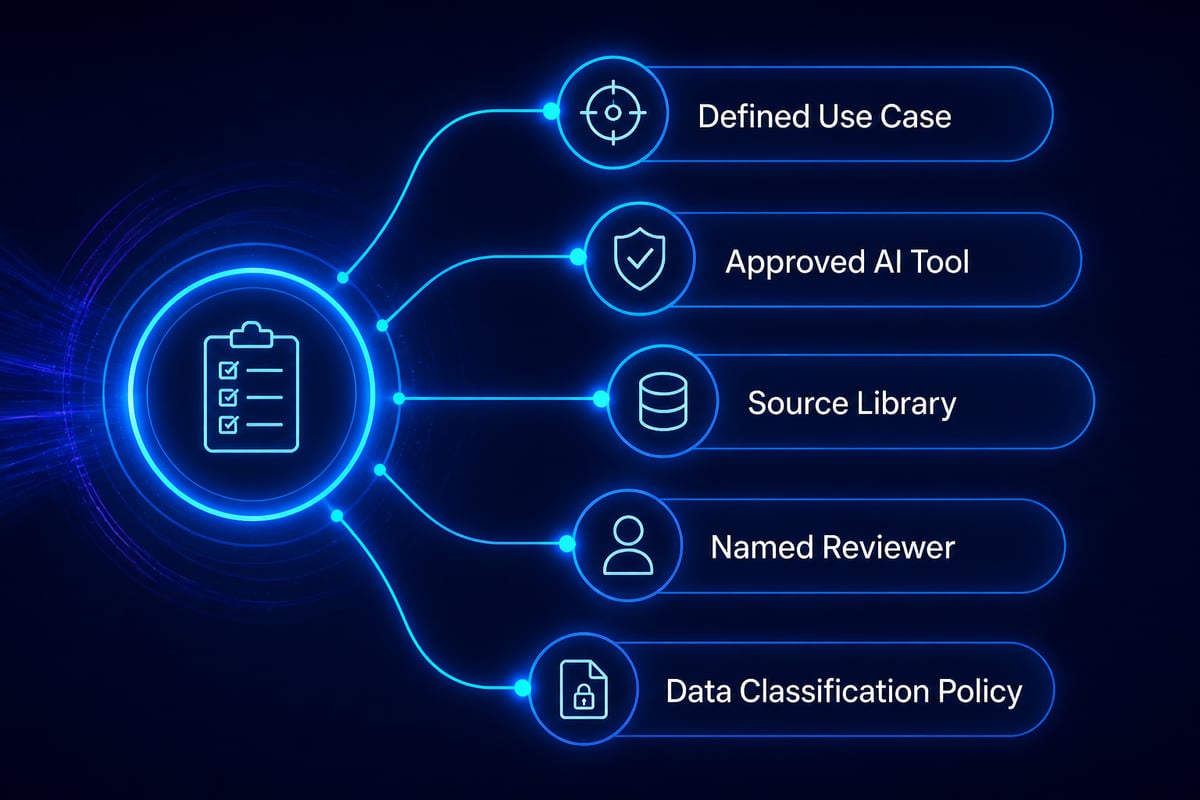
You need five things in place before the first prompt is written.
- A defined use case. Examples include regulatory summaries, internal knowledge articles, client briefings, policy drafts or product documentation.
- An approved AI tool. Choose one that runs inside your existing security and identity boundary, such as Microsoft 365 Copilot or an agent built in Copilot Studio.
- A source library. Approved documents, style guides, terminology lists and prior published material that the AI can draw on.
- A named reviewer. A subject-matter expert who is accountable for sign-off.
- A data classification policy. Staff must know which information may and may not be entered into a prompt.
Step 1: Define the Purpose and the Audience
Start by writing down who the content is for, what decision or action it should support, and what a good result looks like. This single step prevents most of the vague, generic output that gives AI-generated material a poor reputation.
A short brief is enough. State the audience (for example, compliance officers at an insurer), the format (a two-page briefing), the tone (formal, precise), and the outcome (the reader can decide whether a policy change applies to them). Add any constraints, such as words to avoid, regulatory references that must appear, or claims that must never be made.
Teams in pharma, finance and public services benefit from keeping these briefs as reusable templates. Each template becomes a controlled starting point, so quality does not depend on who happens to be writing the prompt.
Step 2: Choose the Right Tool for the Job
The right way to create AI content depends on the content type, and for organisations in regulated sectors the deciding factor is where the data goes. A public chatbot and an enterprise assistant are not equivalent from a governance point of view.
| Content need | Suitable approach |
|---|---|
| Drafting documents, emails and summaries from internal files | Microsoft 365 Copilot working within your tenant |
| Repeatable content workflows with approvals | Power Platform flows combined with Copilot |
| Question-answering over a controlled knowledge base | A custom agent built in Copilot Studio |
| Images and visual assets | An approved image generator, with licensing and brand rules checked |
Tools that operate inside the Microsoft ecosystem inherit existing permissions, sensitivity labels and audit capabilities. That matters when a draft may touch client data, clinical information or financial records. For organisations that want this designed around their own goals rather than a template, AI Business Solutions from Stellium Consulting covers Microsoft 365 Copilot, Power Platform and Copilot Studio, together with governance and workflow redesign.
Step 3: Prepare and Ground Your Source Material
Grounding means giving the AI approved material to work from, so that its output reflects your facts rather than whatever it learned in training. Content created without grounding is the main source of invented figures, outdated rules and confident but wrong statements.
Gather the following before drafting:
- Current policies, procedures and product specifications.
- Verified data points with their sources and dates.
- Your terminology list, including preferred and prohibited terms.
- Two or three examples of published content that meets your standard.
Check permissions at this stage. If a document should not be visible to a particular employee, it should not be reachable through that employee's AI assistant either. Fixing oversharing before rollout is far cheaper than explaining a data exposure afterwards.
Step 4: Write a Structured Prompt
A structured prompt states the role, the task, the source, the format and the constraints in that order. Short, ambiguous requests produce average output; specific instructions produce usable drafts.
A reliable pattern runs as follows:
- Role: "You are a compliance writer at a Swiss insurer."
- Task: "Summarise the attached regulatory update for claims managers."
- Source: "Use only the attached documents. If information is missing, say so."
- Format: "Three short paragraphs and a bulleted list of required actions."
- Constraints: "Formal tone, no speculation, cite the document section for each statement."
The instruction to say so when information is missing is worth including every time. It gives the model permission to admit a gap instead of filling it with a plausible guess.
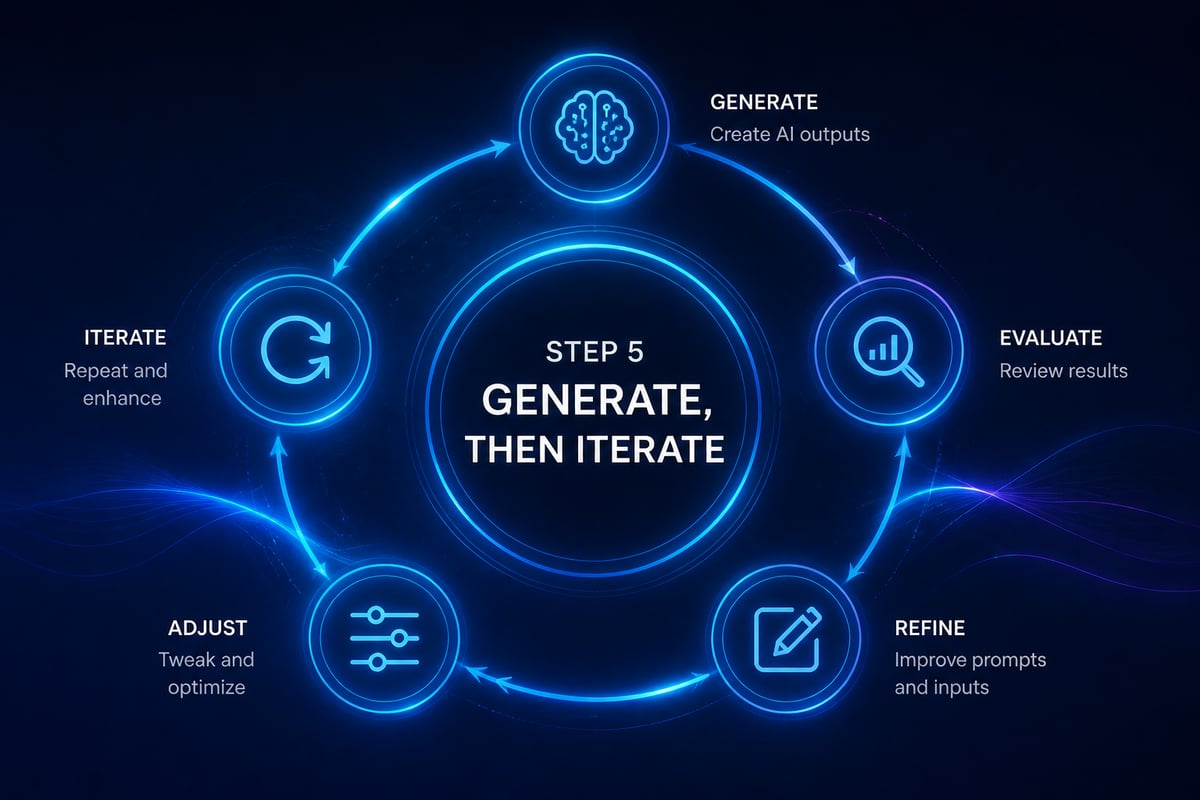
Step 5: Generate, Then Iterate
Treat the first output as a draft to be shaped. Ask for revisions in narrow, specific terms: shorten the second paragraph, replace the general claim with the figure from the source, adjust the tone for a senior audience.
Generating several variants of a headline or summary and choosing between them is a sensible use of the technology. Producing large volumes of near-identical pages is not. Google's guidance states that generating many pages without adding value may violate its scaled content abuse policy, and its helpful-content guidance describes automatically generating large amounts of text without manual oversight or curation as little to no effort. Quality, not volume, is the sensible target for any business publishing under its own name.
Step 6: Review With a Human in the Loop
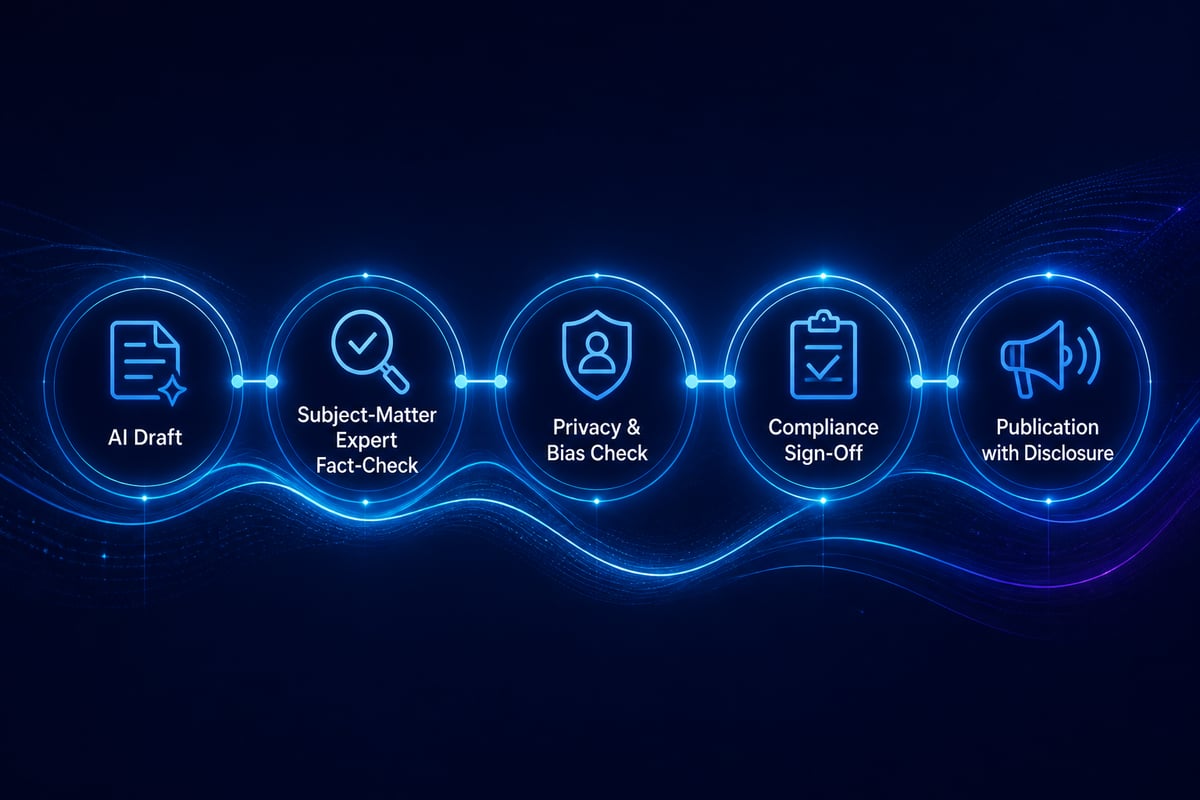
Every piece of AI-generated content needs review by a qualified person before it leaves the organisation. This is the control that separates responsible use from risk, and in regulated sectors it is increasingly an expectation rather than a preference.
Google advises manually fact-checking AI-generated content because generative models can produce inaccuracies, and that review should extend to titles, meta descriptions, structured data and image alt text. A practical review covers:
- Accuracy: every figure, date, name and regulatory reference checked against the source.
- Completeness: nothing material omitted, particularly caveats and exceptions.
- Bias and fairness: language checked for assumptions about groups, regions or customers.
- Privacy: no personal, client or confidential information carried into the output.
- Tone and brand: consistent with how the organisation actually speaks.
Responsible AI practice means building these checks into the workflow itself, not relying on individual diligence. Stellium Consulting designs human-in-the-loop validation, privacy safeguards and bias checks into its solutions for this reason.
Step 7: Add Originality That a Model Cannot Supply
A model can organise what is already known, but it cannot supply your proprietary data, your experience with clients or your professional judgement. Adding these is what turns a competent draft into content worth reading.
Google's guidance recommends creating valuable, non-commodity content for the audience, which makes the same point: usefulness and originality matter, not the method of production.
Ways to add that originality include:
- Insert your own anonymised results, benchmarks or internal findings.
- Add a named expert's interpretation of what a regulatory change means in practice.
- Include a concrete example from your sector, such as a claims process, a clinical documentation workflow or a public-service case.
- Remove generic statements that any competitor could have published.
For teams that also produce audio or video material, content workflows can be extended beyond text. The same source-grounding and review discipline applies to any transcript or show notes drafted with AI assistance.
Step 8: Disclose Appropriately and Publish Correctly
Disclosure is a judgement call, but it should be a deliberate one. Google recommends giving readers context about how automation was used when that information would help them understand the work.
For a regulated organisation, a short note such as "Drafted with AI assistance and reviewed by our compliance team" can build trust rather than erode it. Internal documents may need a different convention, for example a label in the document properties.
Technical publication matters as well. Google's May 2025 guidance says pages should meet technical requirements for Search, including being crawlable, returning HTTP 200 and containing indexable content. Confirm that new pages meet these basics, and that metadata and alt text have been reviewed by a person rather than left as generated.
Step 9: Measure Results and Refine the Process
Measure whether the content achieves the purpose you defined in Step 1, then use the findings to improve prompts, templates and review criteria. Without measurement, AI content production tends to drift towards volume and away from value.
Useful indicators include:
- Time from brief to approved draft, compared with your previous process.
- Number of factual corrections made at review, tracked over time.
- Reader engagement, such as time on page, enquiries or internal usage statistics.
- Compliance findings, ideally none attributable to AI-assisted content.
- Reviewer satisfaction, since a process that frustrates its reviewers will be bypassed.
If corrections stay high, the cause is usually weak source material or an unclear brief, not the model. Improve the inputs first. The production process described here remains the foundation for any distribution work.
Common Mistakes When You Create AI Content
Most failures when teams create AI content come from process gaps rather than from the technology itself.
- Skipping the brief. Vague prompts produce generic output that needs heavy rewriting.
- Using unapproved tools. Pasting confidential material into a consumer chatbot is a data-protection incident waiting to happen.
- Publishing without review. Unchecked drafts are where fabricated statistics and outdated rules reach the public.
- Ignoring permissions. An assistant can only be as safe as the access rights beneath it.
- Chasing volume. Dozens of thin pages harm credibility and may breach search policies.
- Leaving no audit trail. In regulated sectors you may need to show who reviewed what, and when.
- Treating it as a one-off. Prompts, templates and review rules need ongoing maintenance as tools and regulations change.
Troubleshooting Weak Output
When the output disappoints, diagnose the input before blaming the tool.
The draft sounds generic. Add your own source material, a sample of your preferred style and a narrower audience description.
The content contains errors. Restrict the prompt to the supplied sources, require citations by section, and instruct the model to flag missing information.
The tone is inconsistent. Provide a short style guide and two approved examples, and reuse them across every prompt in the template.
Reviewers are overwhelmed. Reduce volume, tighten the brief and give reviewers a checklist, so that they verify specific points rather than reread everything.
Staff are not using the approved tool. Run short, role-specific training sessions built on real tasks from their own work, and make the approved route the easiest one.
Content creators and talent needs fall outside text. For campaigns that involve voice, performance or on-screen talent, human creative professionals keep performance where authenticity matters most.
For leaders who also build thought-leadership offers, the same principles of structure and positioning apply outside the enterprise setting.
Take one recurring document in your organisation, such as a monthly regulatory summary, and run it through the nine steps above as a controlled pilot with a named reviewer. If you want help designing the governance, workflows and tooling around it, AI Business Solutions from Stellium Consulting is built on Microsoft 365 Copilot, Power Platform and Copilot Studio with responsible AI built in. The team, recognised as recognised as a Microsoft Solutions Partner, is ready to shape an approach around your goals, so let’s talk through your use case with Stellium Consulting.