
An AI powered learning platform is a learning management system that uses AI to draft courses, personalise learning paths, translate content and automate administration. For European organisations in regulated sectors, the right choice depends less on the number of AI features and more on data handling, integration with the Microsoft stack and how much control administrators keep over generated content. This list covers eight platforms worth evaluating, then explains how to assess them.
Prices below are approximate and taken from the sources cited. Most vendors list prices in US dollars, and Swiss franc pricing is not shown for any of them.
1. TalentLMS
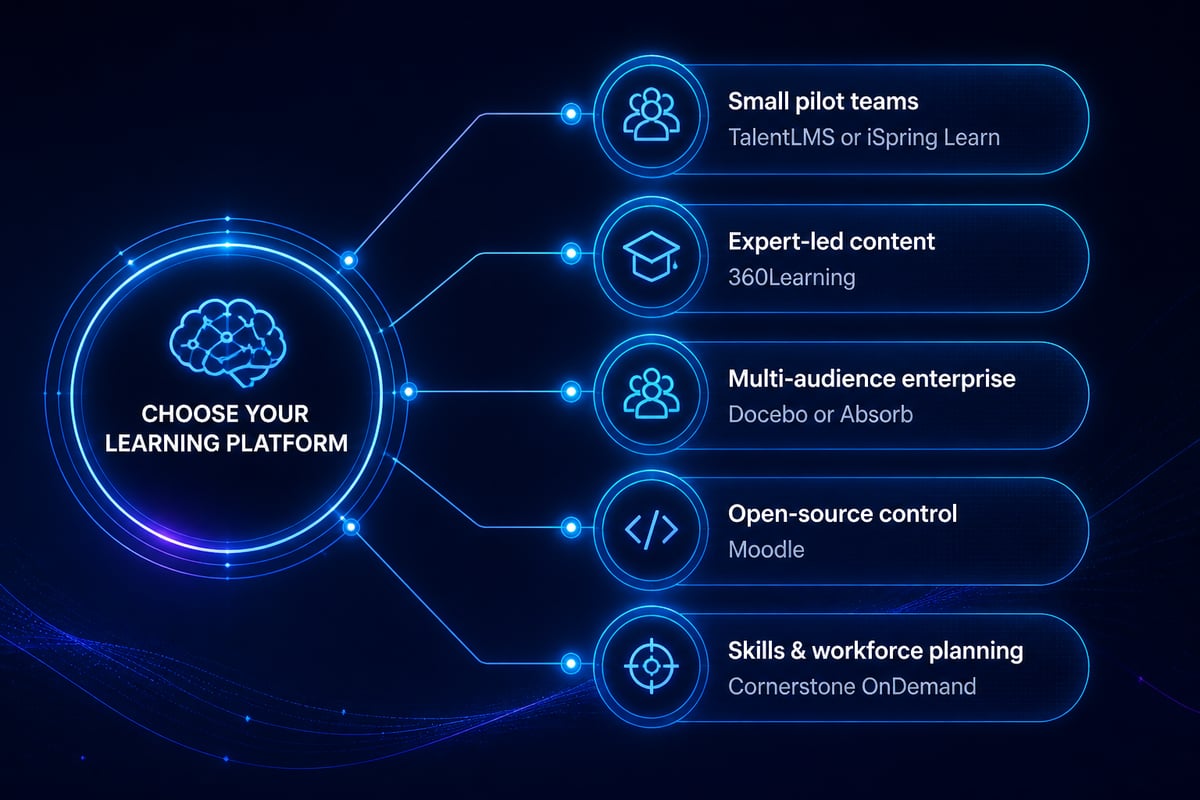
TalentLMS is a cloud LMS from Epignosis that suits small and midsize teams wanting a simple platform with a free entry point. It includes TalentCraft, an AI course generation tool, and an AI Coach for learner support.
- Key specs: free plan for up to 5 users and 10 courses; paid plans listed from $119 per month, according to iSpring’s platform comparison.
- Suits: pilot programmes and departmental training with a small budget, where the aim is to test AI authoring before committing to a larger rollout.
- Verdict: a low-risk starting point, though large regulated estates will want to check governance depth.
2. 360Learning
360Learning is a collaborative learning platform where subject-matter experts build courses together with learning teams. Its AI-assisted authoring and AI Roleplay features support scenario practice.
- Key specs: Team plan listed at $8 per user per month for up to 100 users; AI-assisted authoring; AI Roleplay; one-click translation in more than 60 languages, as reported by D2L’s AI LMS comparison.
- Suits: organisations in which internal specialists, such as quality, compliance or clinical experts, create most of the training content.
- Verdict: strong for expert-led content, and the translation support helps multilingual Swiss and European teams.
3. Docebo
Docebo is an enterprise LMS built to train employees, customers and partners from one environment. It emphasises personalisation and multi-audience delivery.
- Key specs: personalisation and multi-audience support; certification and compliance tracking; multilingual training with instant translations; live, on-demand, mobile and social learning. Pricing is not listed here.
- Suits: enterprises that train several audiences across regions and need compliance records alongside broad content formats.
- Verdict: a serious option for extended-enterprise training, best assessed through a scoped demonstration.
4. iSpring Learn
iSpring Learn is an LMS from iSpring Solutions that pairs a learning portal with rapid authoring tools. It is particularly convenient for teams that already produce training in PowerPoint.
- Key specs: listed at $6.91 per user per month for 100 users, billed annually, with a 30-day trial, according to iSpring; AI course drafts, quiz and image generation, and translation.
- Suits: midsize teams converting existing slide decks into courses quickly, on a modest per-learner budget.
- Verdict: efficient for fast content production, with a trial that lets you test AI drafts on your own material.
5. Absorb LMS
Absorb LMS from Absorb Software targets organisations with complicated administration needs or several learner audiences. AI supports content creation and day-to-day management.
- Key specs: custom quote; AI course and quiz generation; administrative automation; content recommendations.
- Suits: midsize and enterprise teams where administrator workload, such as enrolments and reporting, is the main cost to reduce.
- Verdict: a good fit when automation of administration matters as much as AI-generated content.
6. Moodle
Moodle is an open-source LMS that gives organisations control over hosting and configuration. Its AI subsystem lets administrators choose which AI provider powers features.
- Key specs: listed starting price of $160 per year; AI subsystem supports text and image generation and summarisation, per D2L; supports OpenAI, Azure AI and Ollama.
- Suits: IT teams that want to route AI requests through their own Azure tenant or a locally hosted model, which is relevant where data must stay in a defined region.
- Verdict: the most configurable option here, but it asks for more internal technical capacity than hosted competitors.
7. Generative AI Playground
Generative AI Playground is a secure environment from Stellium Consulting, powered by OpenAI and built on Azure. It lets employees test generative AI on their own content. It is not an LMS, so it does not replace one; it fits as a safe practice space beside a learning platform.
- Key specs: built on Azure; powered by OpenAI; designed for employees to try generative AI on their own content in a secured setting. Details are on the Stellium Consulting enterprise AI page.
- Suits: organisations that want staff to build practical AI skills before wider tool rollout, without placing sensitive content in public tools.
- Verdict: a useful complement for hands-on AI literacy, particularly where data protection rules limit experimentation elsewhere.
8. Cornerstone OnDemand
Cornerstone OnDemand links learning to skills development and workforce planning. Its Skills Engine underpins AI content curation and talent matching.
- Key specs: custom quote; Skills Engine covering 45,000+ skills in 35 languages; AI content curation; talent matching.
- Suits: large enterprises that want learning data to feed workforce planning and internal mobility decisions.
- Verdict: best where learning is one part of a wider talent strategy, less so for a stand-alone training rollout.
Comparison of the AI Powered Learning Platforms
| Platform | Approximate price | Standout AI capability | Best fit |
|---|---|---|---|
| TalentLMS | Free up to 5 users; paid from $119/month | TalentCraft course generation, AI Coach | Small and midsize teams |
| 360Learning | $8/user/month (up to 100 users) | AI Roleplay, 60+ language translation | Expert-led content creation |
| Docebo | Quote | Personalisation, instant translations | Multi-audience enterprises |
| iSpring Learn | $6.91/user/month (100 users) | AI course drafts and quizzes | PowerPoint-based training |
| Absorb LMS | Quote | Administrative automation | Complex administration |
| Moodle | From $160/year | Configurable AI providers incl. Azure AI | Open-source control |
| Generative AI Playground | See Stellium Consulting | Secure Azure-based generative AI practice | AI skills alongside an LMS |
| Cornerstone OnDemand | Quote | Skills Engine, talent matching | Large enterprises |
Price structure shapes the shortlist as much as features do. TalentLMS, 360Learning and iSpring Learn publish figures, so a 100-learner budget can be modelled before any sales conversation. At the listed $8 per user per month, 360Learning's Team plan comes to $800 monthly for 100 users, while iSpring Learn's $6.91 rate gives $691, billed annually. Docebo, Absorb LMS and Cornerstone OnDemand price by quote, which usually reflects larger deployments and a longer procurement cycle. Moodle's low starting price covers the software only, so hosting, integration and internal support need to be costed separately.
The AI column also separates the platforms by purpose. 360Learning, iSpring Learn and TalentLMS concentrate on faster authoring, whereas Absorb LMS targets administrator workload, and Cornerstone OnDemand ties AI to skills data, with its Skills Engine covering 45,000+ skills in 35 languages. Choose the column that matches your largest current cost. LearnUpon, which lists plans from 100 users with AI course creation, narration and translation, is a further option for teams of that size.
How to Choose an AI Powered Learning Platform for a Regulated Organisation
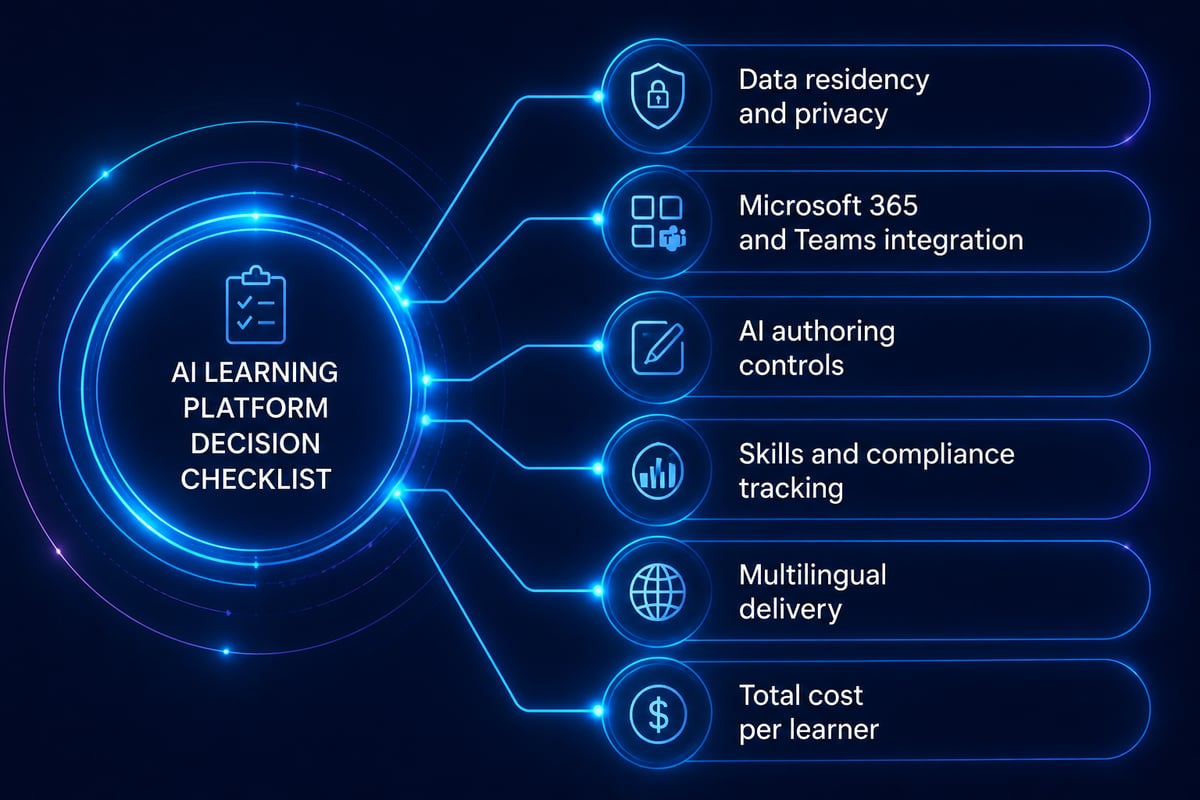
Choose by testing governance and integration first, then AI features. Vendor demonstrations tend to showcase content generation, yet in pharma, finance, insurance, energy and public services the harder questions concern where data goes and who approves what the AI produces.
Work through these checks with your security and compliance teams:
- Data location and processing: confirm where learner data and prompts are stored and whether AI providers retain or train on them. Stellium Consulting's guidance on GDPR compliance in an Azure environment is a useful reference for the Azure side.
- Human review: AI-drafted courses on regulated procedures should pass through an approver before publication. Check that the platform records who approved what.
- Identity and Microsoft integration: single sign-on through Entra ID, delivery inside Teams and reporting into Power BI reduce friction and support audit trails.
- Bias and accuracy controls: ask how recommendation logic is explained and how you can correct wrong output.
- Language coverage: Swiss and European teams often need German, French, Italian and English at minimum.
Independent roundups such as Continu’s AI LMS comparison and AI Business Geek’s grouping by pricing tier can help you build a first shortlist before you run your own assessment.
Preparing People for an AI Powered Learning Platform
A platform alone does not change how teams work, so plan the human side in parallel. Learners who have never used generative AI tend to need guided practice before they can judge the quality of AI-generated training or use AI coaches well.
Stellium Consulting's Productivity Bootcamp for M365 Copilot is a five-week hands-on programme that builds productivity habits with Microsoft 365 Copilot and trains internal champions. Those champions can then act as reviewers and advocates when you introduce an AI learning platform. This is a service rather than a platform, so it sits beside your LMS selection and is not a rival to it.
Adoption also depends on responsible AI practice. Stellium Consulting builds human-in-the-loop validation, privacy safeguards and bias checks into its solutions, and the same principles apply when you configure any learning platform: define which content AI may draft, which it may only suggest and which stays fully human-authored. For wider context on rollout risks, see Stellium Consulting's article on AI implementation challenges.

A Practical Evaluation Sequence
Run a structured trial rather than a feature checklist. A sequence that suits most mid-to-large organisations:
- Define two or three use cases, such as compliance refreshers, onboarding or product training, with a measurable outcome for each. A useful outcome is specific and countable, for example the hours an administrator spends on enrolments each month, or the time needed to produce a new module from an existing procedure document.
- Shortlist three platforms from the list above based on audience size, integration needs and budget. Pairing one low-cost option, such as iSpring Learn with its 30-day trial or the TalentLMS free plan, with one enterprise platform and one configurable option like Moodle gives a useful spread of approaches to compare.
- Test AI authoring on real content, with a subject-matter expert reviewing accuracy and tone. Use the same source document on every platform, ask for a course draft, a quiz and a translation into a second language, and note how much correction each output needs before it could be published.
- Run a security review covering data flows, retention and provider terms. Involve your data protection officer early, and ask each vendor to state in writing which AI provider processes prompts and whether content is retained.
- Pilot with one team for a defined period and compare completion, assessment results and administrator hours against your current process. A team of 20 to 30 learners is usually enough to reveal practical problems without creating a large support burden.
Document the results in the same format for every platform so that procurement, IT and the business owner can compare like with like.
FAQ
Are AI tutors free?
Some are, within limits. TalentLMS, for instance, offers a free plan for up to 5 users and 10 courses, while many enterprise AI tutoring and coaching features sit in paid tiers. For regulated data, free consumer tools are rarely suitable.
How do I learn AI as a beginner?
Start with supervised, practical use on non-sensitive content, then move to your own work material in a secure environment. Structured programmes with internal champions tend to build confidence faster than self-study alone.
What educational platforms use AI?
Many major LMS vendors now include AI for authoring, translation or recommendations, including several of the eight covered here. Moodle stands out for letting administrators select the underlying AI provider.
Your next step is to pick one training use case and ask two of the platforms above to demonstrate it with your own content and your data protection requirements. If you want an experienced partner to shape that evaluation, Stellium Consulting is a Microsoft Solutions Partner that builds secure AI solutions natively on the Microsoft ecosystem, so let’s talk about how your teams can learn with AI safely and at scale. You can also see how staff can practise generative AI on their own content in the Generative AI Playground.